“SSIS Error: Unable to load the package as XML because of package does not have a valid XML format.”
Problem:
I was trying to execute the SSIS package through SQL Server Agent and got the error below.Error Message :
Executed as user: NT Service\SQLSERVERAGENT.
Microsoft (R) SQL Server Execute Package Utility Version 15.0.2000.5 for 64-bit Copyright (C) 2019 Microsoft. All rights reserved.
Started: 4:04:21 AM Error: 2023-01-31 04:04:22.02
Code: 0xC0011007
Source: {8819A11A-3A4B-49C5-93C0-1D73E13FB627}
Description: Unable to load the package as XML because of package does not have a valid XML format. A specific XML parser error will be posted.
End Error Error: 2023-01-31 04:04:22.02
Code: 0xC0011002
Source: {8819A11A-3A4B-49C5-93C0-1D73E13FB627}
Description: Failed to open package file “\sharepath\ssis\package.dtsx” due to error 0x80070005
”Access is denied.”.
This occurs when loading a package and the file cannot be opened or loaded correctly into the XML document. This can be the result of specifying an incorrect file name when calling LoadPackage or the specified XML file has an incorrect format.
End Error Started: 4:04:21 AM Finished: 4:04:22 AM Elapsed: 0.062 seconds.
The package could not be found. The step failed.
Solution 1:
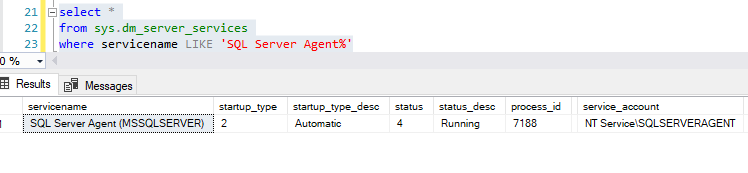
The SQL Server Agent service account (i.e, in my case NT Service\SQLSERVERAGENT**)** does not have access to the directory where the SSIS package is present. This issue can be solved by providing Read permission to the service account on the directory where the SSIS package is present. To get the SQL Server Agent service account, execute the below queries.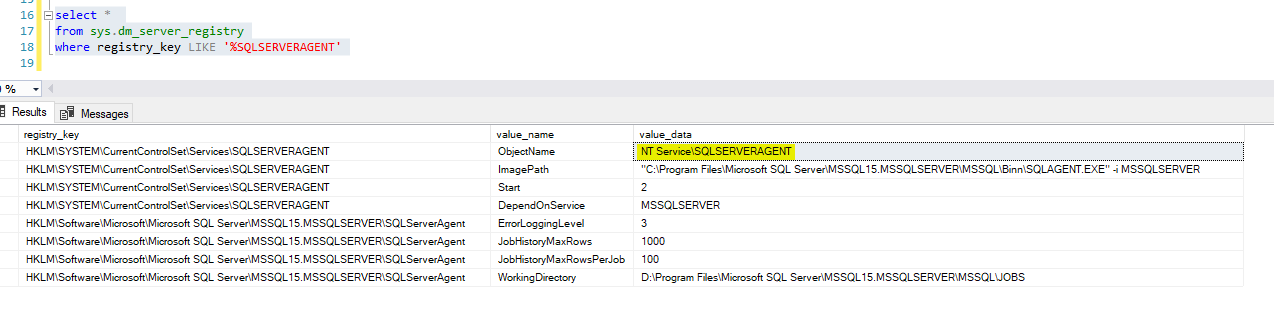
Solution 2:
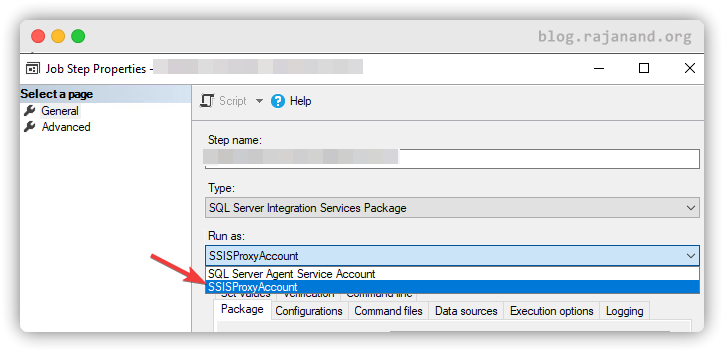
Create a proxy account with credentials which have permission to read from the directory and then run the SQL Server Agent job step as the proxy account.