> ## Documentation Index
> Fetch the complete documentation index at: https://rajanand.org/llms.txt
> Use this file to discover all available pages before exploring further.
# How to rename a database without an error in SQL Server?
## Problem
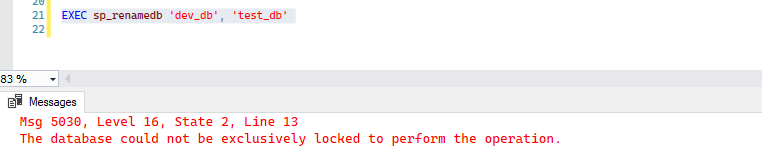
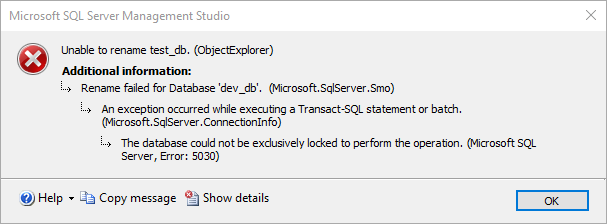
Unable to rename the database in SQL Server.
> Msg 5030, Level 16, State 2, Line 17
> The database could not be exclusively locked to perform the operation.
## Solution
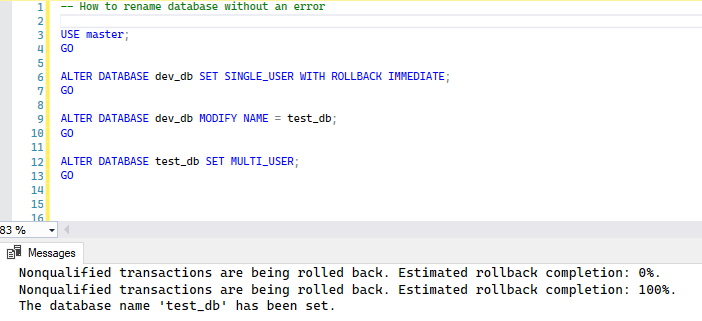
This error occurs when the database is in use. To resolve the issue, before renaming the database, first set the database to single user and rollback all the uncommitted transactions. Then rename the database and set the database to multi-user.
To rename a database you can use either of the below query. But Microsoft suggest to use `ALTER DATABASE` as `sp_renamedb` may be phased out in future releases.
`EXEC sp_renamedb 'dev_db', 'test_db';`\
or\
`ALTER DATABASE dev_db MODIFY NAME = test_db;`
```sql theme={"system"}
-- How to rename database without an error
USE master;
GO
ALTER DATABASE dev_db SET SINGLE_USER WITH ROLLBACK IMMEDIATE;
GO
ALTER DATABASE dev_db MODIFY NAME = test_db;
GO
ALTER DATABASE test_db SET MULTI_USER;
GO
```