> ## Documentation Index
> Fetch the complete documentation index at: https://rajanand.org/llms.txt
> Use this file to discover all available pages before exploring further.
# How to fix SQL Server Integration Services could not be started issue?
## Error:
> The request failed or the service didn't respond in a timely fashion consult the event log or other applicable error logs for details.
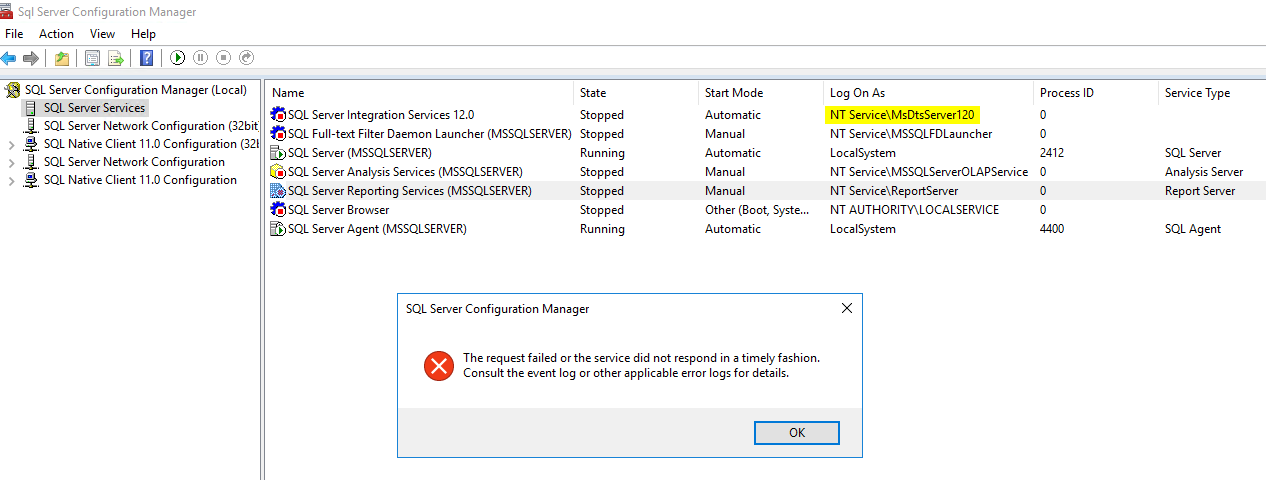
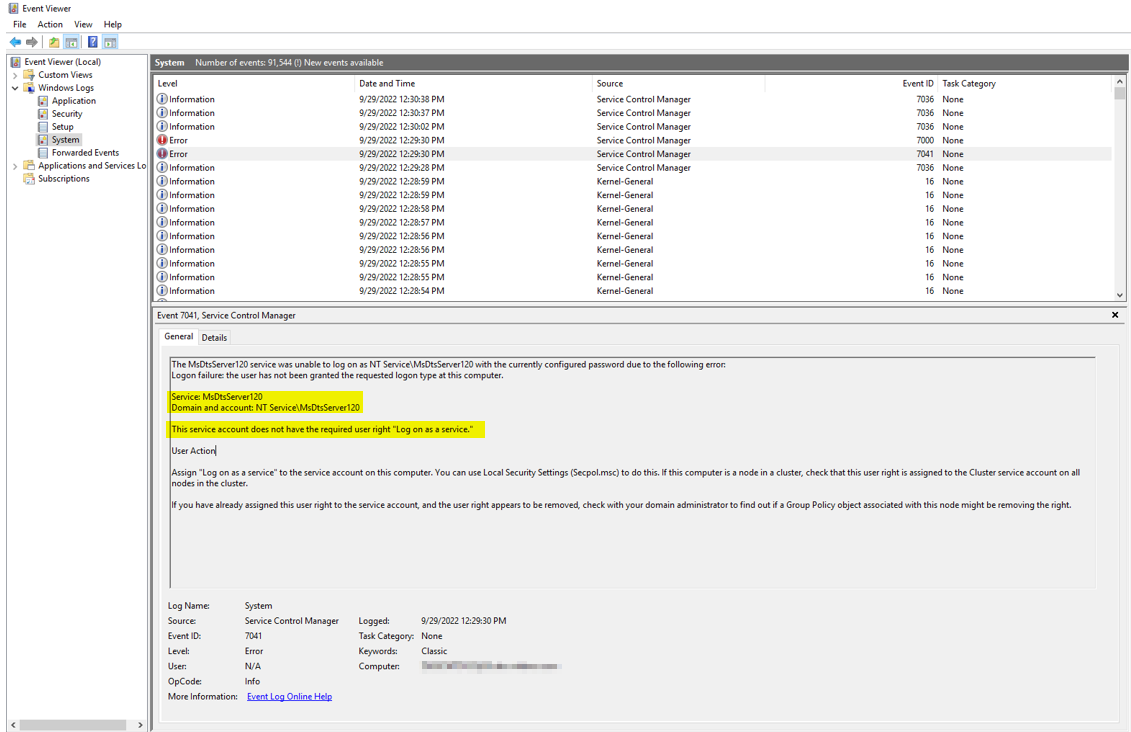
## Solution:
1. Go to Administrative Tools and click Local Security Policy.
2. Expand Local Policy, click User Rights Assignment. In the right pane, right-click Log on as a service and select Properties.
3. Click Add User or Group option to add the new user. ([Reference](https://learn.microsoft.com/en-us/system-center/scsm/enable-service-log-on-sm?view=sc-sm-2022#enable-service-log-on-through-a-local-group-policy))
4. You can add the "NT Service\MsDtsServer120" account. This option was not enabled for me due to windows version compatibility issue.
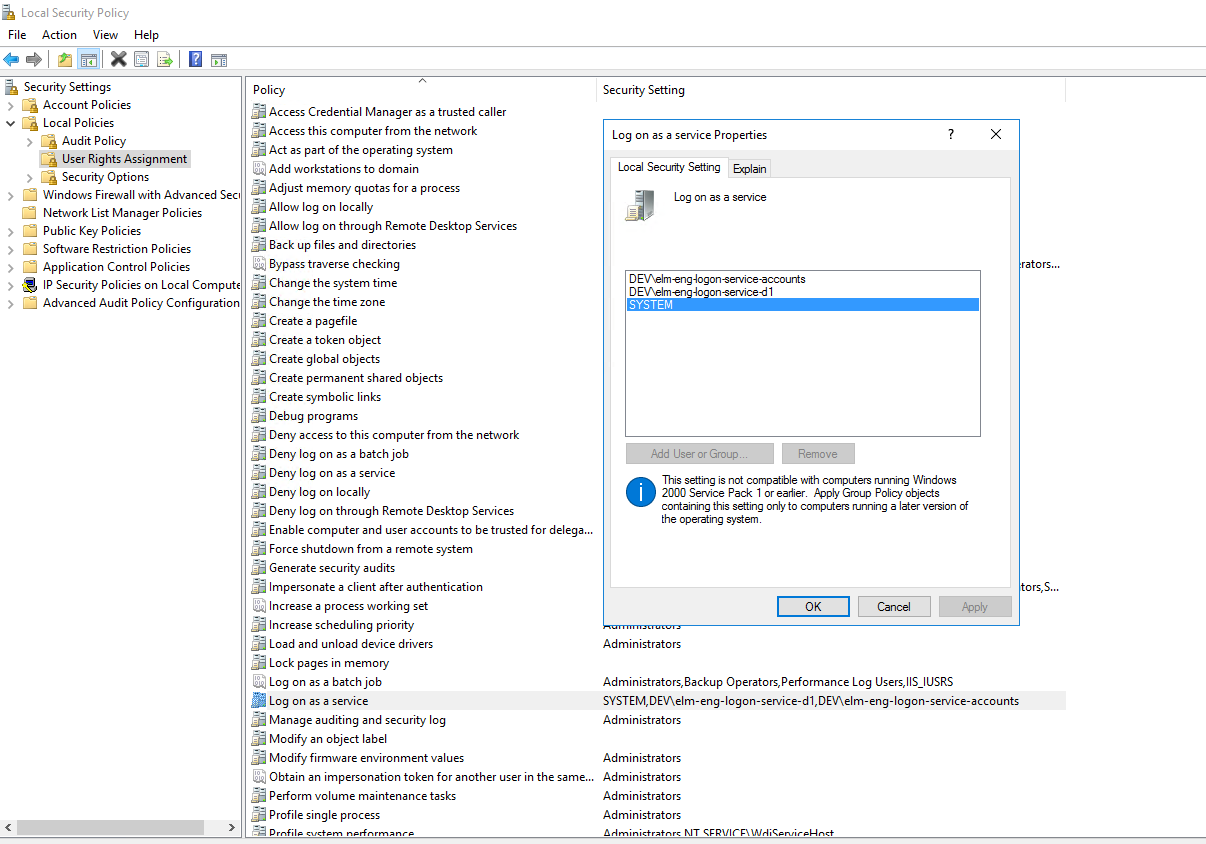
1. But, I was unable to add any user to "Log on as service". So I have changed the "Log on As" user to local system.
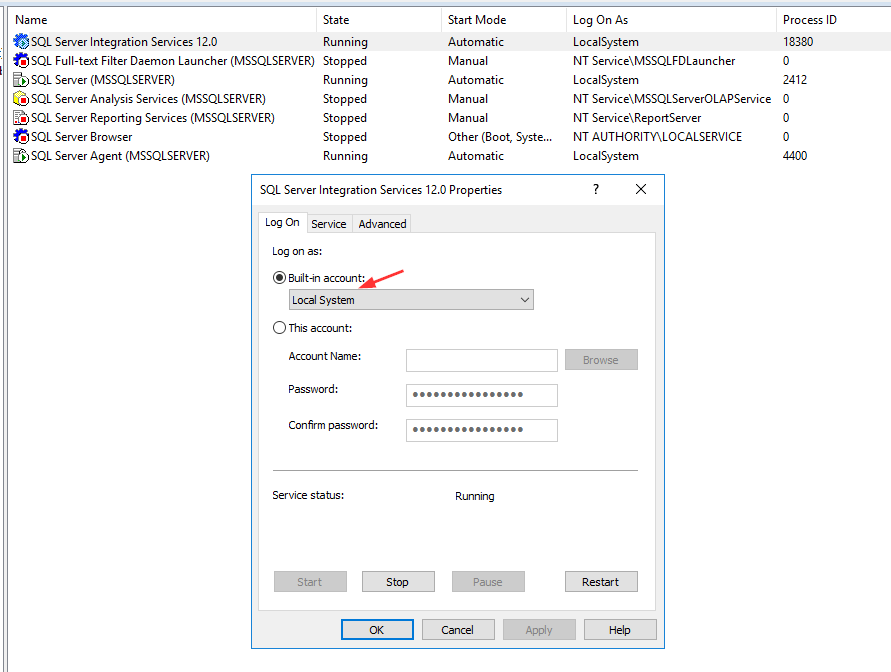
1. SSIS service is running now.
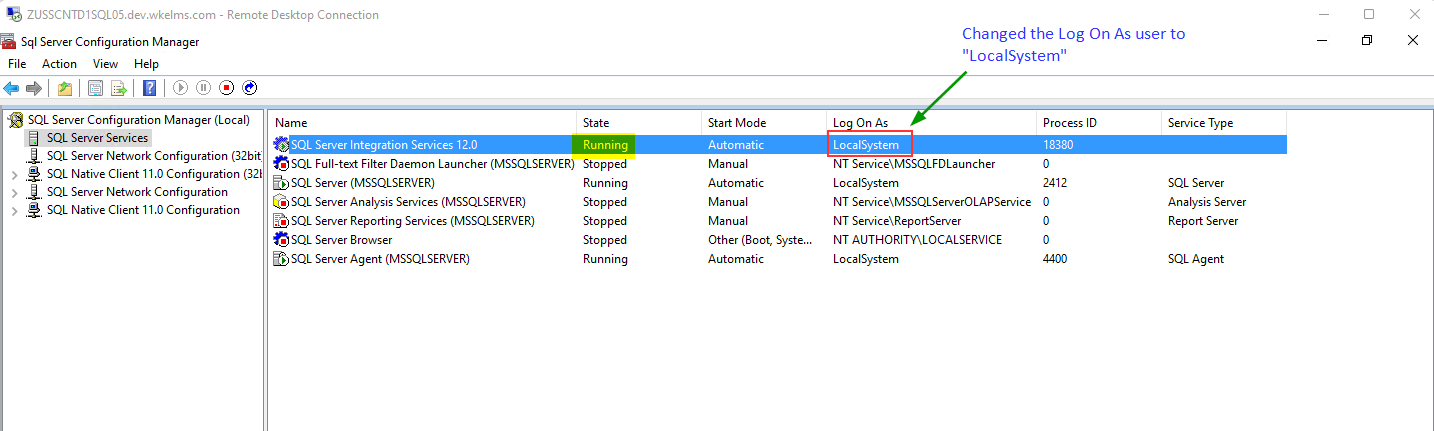
The same approach can be used for other SQL Server related services like SQL Server agent, SSIS, SSRS, SSAS etc.