> ## Documentation Index
> Fetch the complete documentation index at: https://rajanand.org/llms.txt
> Use this file to discover all available pages before exploring further.
# How to fix SQL Server SQL authentication login issue when the user name and password is correct?
### Problem:
I have logged in to the SQL Server using winodws authentication and created a new login with SQL authentication. Then tried login with the new login and got the error as login failed for the user even though the username and password that I entered was correct.
This is the [error message](https://learn.microsoft.com/en-us/sql/relational-databases/errors-events/mssqlserver-18456-database-engine-error) I got.
> Cannot connect to server ip address.
> Login failed for user 'sql-user'. (Microsoft SQL Server, Error: 18456)

### Solution:
The problem was not with the incorrect username or password. The SQL Server was configured with only windows authentication mode.
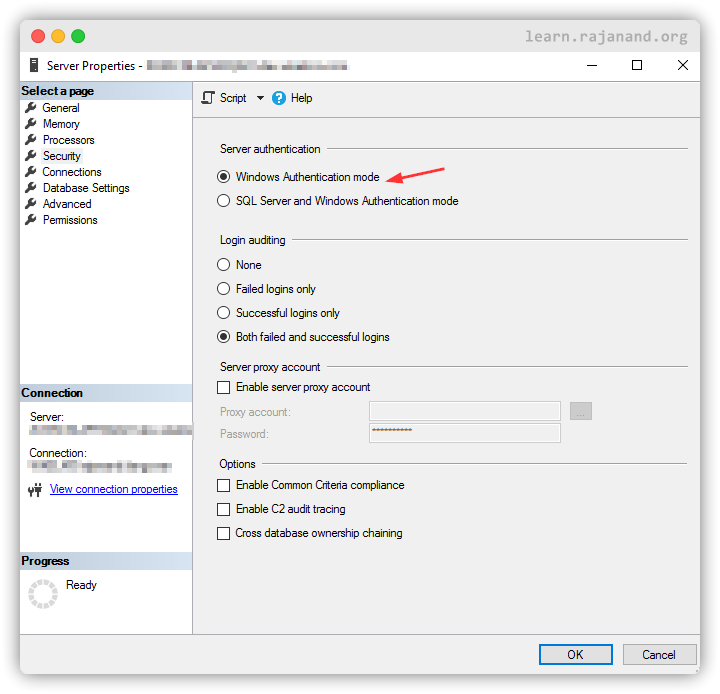
You can change the Server authentication mode via UI or using the below script in T-SQL. This script updates the registry. You need to have sysadmin role to make this change.
```
USE [master]
GO
EXEC xp_instance_regwrite N'HKEY_LOCAL_MACHINE', N'Software\Microsoft\MSSQLServer\MSSQLServer', N'LoginMode', REG_DWORD, 2
GO
```
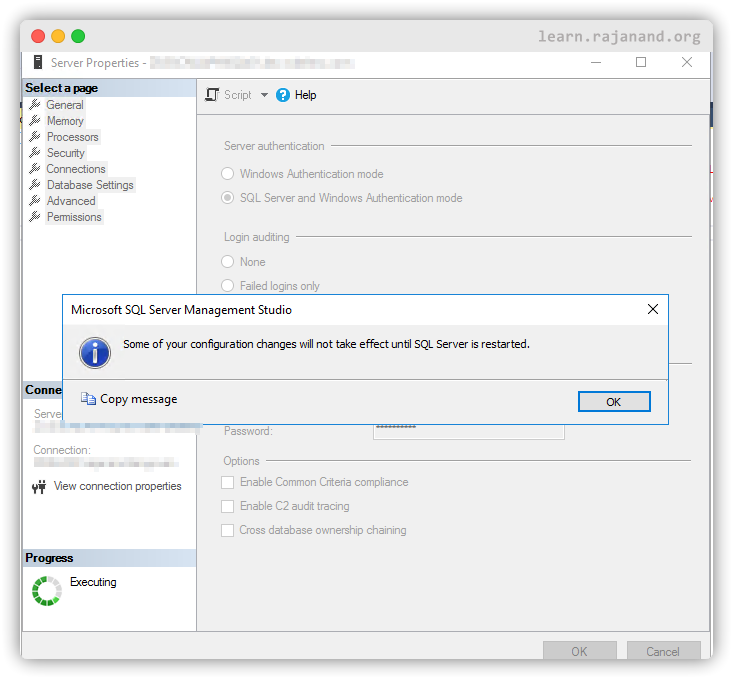
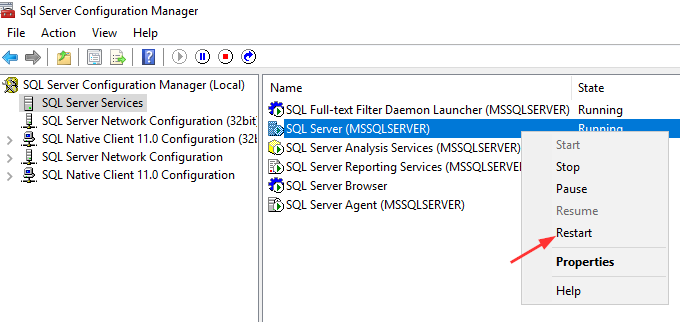
Once the changes are done, the SQL server needs to be restarted to be able to login via SQL authentication mode.