> ## Documentation Index
> Fetch the complete documentation index at: https://rajanand.org/llms.txt
> Use this file to discover all available pages before exploring further.
# How to fix git "fatal: Authentication failed" issue after password change?
## Problem:
I have the local git repository which is set up to track the remote git repository. I have changed the password of the remote git service. Then trying to push the change from local to the remote repository. I got the below issue.
> fatal: Authentication failed for '[https://git.example.com/test.git](https://git.example.com/test.git)

## Solution:
You have to update the remote repository password details in the credentials manager.
* Search for "Credential Manager" in the start menu and open.
* Click "Windows Credentials"
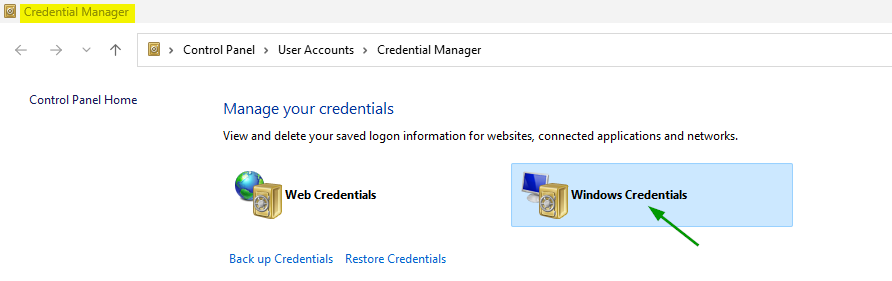
* Find the git remote repo and edit the password with the latest password.

If you try the git command again, it should work without any issues.